
Microsoft Excel (Excel and Excel 2019) MO-200 Exam Questions
Preparing for the MO-200 exam is simple with Certs Vault. We offer easy-to-understand study materials that help you learn the most important exam topics. You can study using our PDF questions, practice online with a real exam-style test, or use the desktop practice software. Choose the study method that works best for you and prepare at your own pace.
At Certs Vault, we keep our MO-200 practice questions up to date. Whenever the exam syllabus or objectives change, we update our study materials so you always learn the latest topics. This helps you save time, avoid outdated content, and feel more confident when you take your exam.
Question #1 (Topic: demo questions)
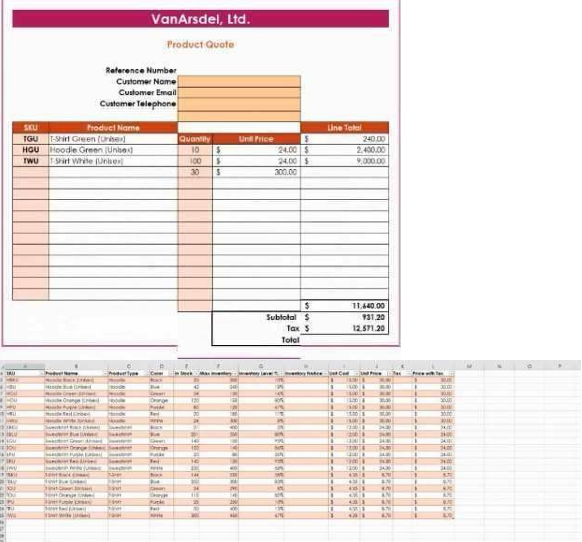
You are updating the sales spreadsheet for an online clothing store. On the "Quote’’ worksheet move the cells E8:F32 up to correct the alignment by deleting cells E7:F7
Answer
Explanation:
Select and press delete on the home tab.
Question #2 (Topic: demo questions)
On the ‘’Prices’’ worksheet, apply the Title style to cell A1.
Answer
Explanation:
Home Tab/ Styles group/ cell styles
Question #3 (Topic: demo questions)
On the ‘’Orders’’ worksheet, filter the table data to display only the orders from ‘’Alpine SKI House.’’
Answer
Explanation:
On the data tab, click filter. Display only alpine.
Question #4 (Topic: demo questions)
Question:4 On the ‘’Prices’’ worksheet, in the ‘’Tax column, enter a formula that multiples the value in the ‘’Unit Price’’ column by cell L2.
Answer
Explanation:
=_*_
Question #5 (Topic: demo questions)
Question:5 Answer: Check the Solution below. On the ‘’Prices’’ worksheet, in the ‘’inventory Notice’’ column, use a function to display ‘’Low’’ if the ‘’ inventory Level % is below 15%. Otherwise, leave the ‘’Inventory Notice’’ blank.
Answer
Explanation: